Unity Environment
UnityAirplaneEnvironment is a training-focused Unity setup for aircraft reinforcement learning: ready-made scenes with increasing complexity, configurable physics, and a convenient gym-based Python wrapper.
- Ready scenes: base, birds, icing, rain, wind
- Control & physics:
AircraftManager, aero modules, experiment configs - Python API:
get_plane_envandunity_discrete_env(3^7 discrete actions) - Scaling: Docker, GPU, parallel workers
Quick start
- Build the Unity project → Build the environment in Unity
- Run and validate the Python wrapper → Interact with Python
- Launch A3C training in a container → Run in Docker (GPU/CPU, distributed)
Source: tensoraerospace/UnityAirplaneEnvironment
Environment components
Components used to model aircraft motion:
| Component | Purpose | Usage/parameters |
|---|---|---|
| Rigidbody | Physics component at the center of mass; defines mass and dynamics. | Attach to the aircraft center-of-mass object |
| CentreOfGravity | Marker for the aircraft’s center of gravity. | Place at the aircraft CG |
| AeroBody | Aerodynamic computations for aircraft parts; references the Rigidbody. |
On each element (wings, fuselage, etc.) |
| AeroGroup | Collection of all aircraft AeroBody references. |
On the aircraft controller object |
| Thruster | Applies thrust at the proper point. | On the propeller/engine |
| Elevator | Control surfaces: elevators, flaps, etc. | On movable wing/tail surfaces |
| AircraftManager | Handles aircraft physics and control channels. | Separate scene object |
| FlightDynamicsFlightManager | Links the aircraft, CG, AircraftManager, and experiment config (wind, initial pose, etc.). |
Separate scene object |
Control channels (AircraftManager)
| Channel | Description | Range |
|---|---|---|
| Thrust | Engine thrust | Normalized [-1, 1]; discrete wrapper |
| Aileron | Ailerons | [-1, 1] / |
| Elevator | Elevator | [-1, 1] / |
| ElevatorTrim | Elevator trim | [-1, 1] / |
| Rudder | Rudder | [-1, 1] / |
| FlapUp | Raise flaps | Toggle/pulse |
| FlapDown | Lower flaps | Toggle/pulse |
Note
In the discrete wrapper unity_discrete_env, a seven-dimensional action is encoded as a single integer: 3 values per channel ⇒ 3^7 total actions.
Unity scenes
Training includes 5 scenes (1 base + 4 with additional challenges) located in UnityAirplaneEnvironment/Assets/AlbLab3/Scenes.
MLAgentsScene — base
Standard aircraft configuration.
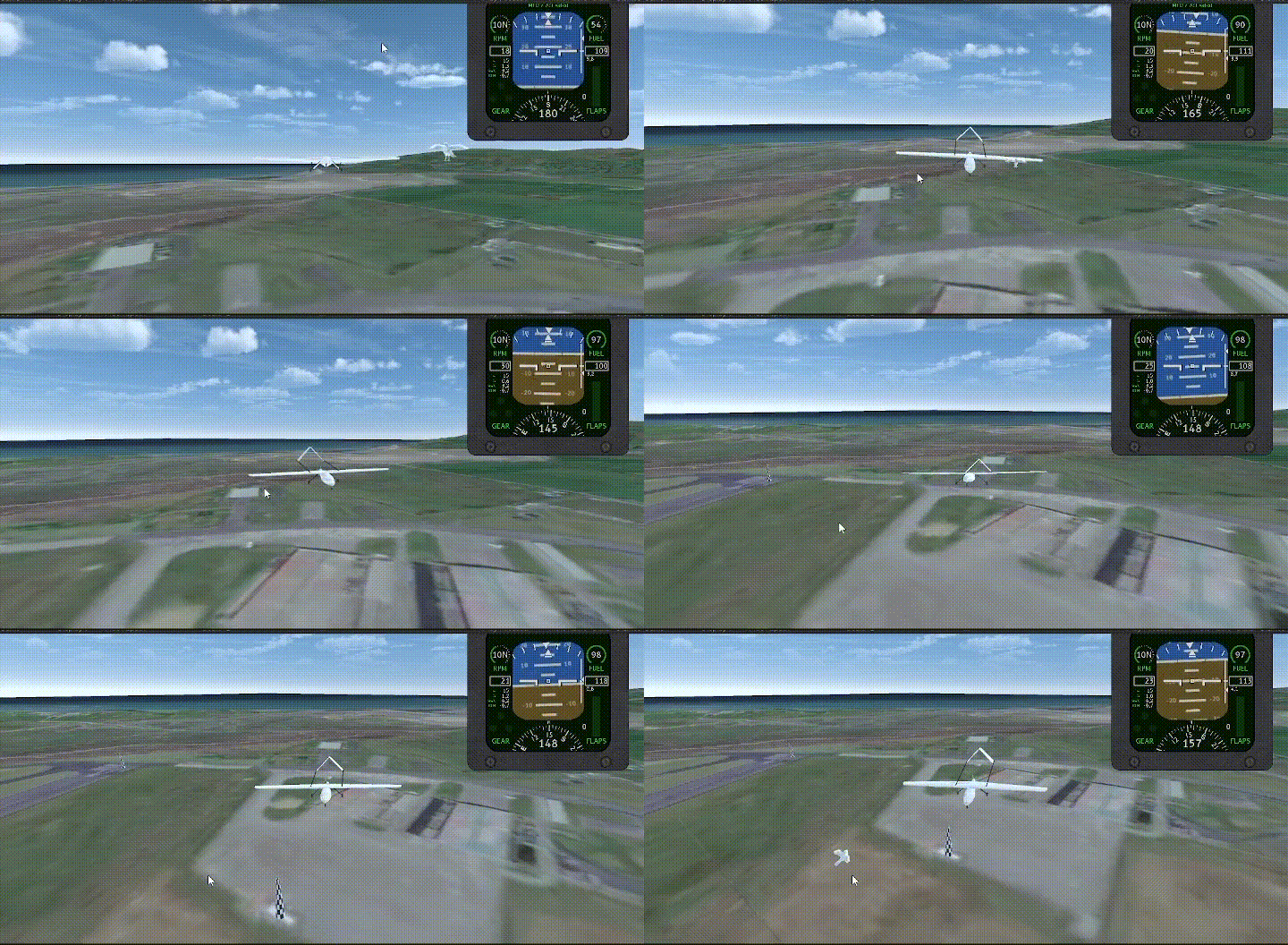
MLAgentsSceneBirds — birds
Random forces occasionally push the aircraft.
Configure via the Birds component on AircraftManager (Impact and interval). Forces apply randomly to wings or nose with magnitude (Impact, 2 × Impact).
MLAgentsSceneCold — icing
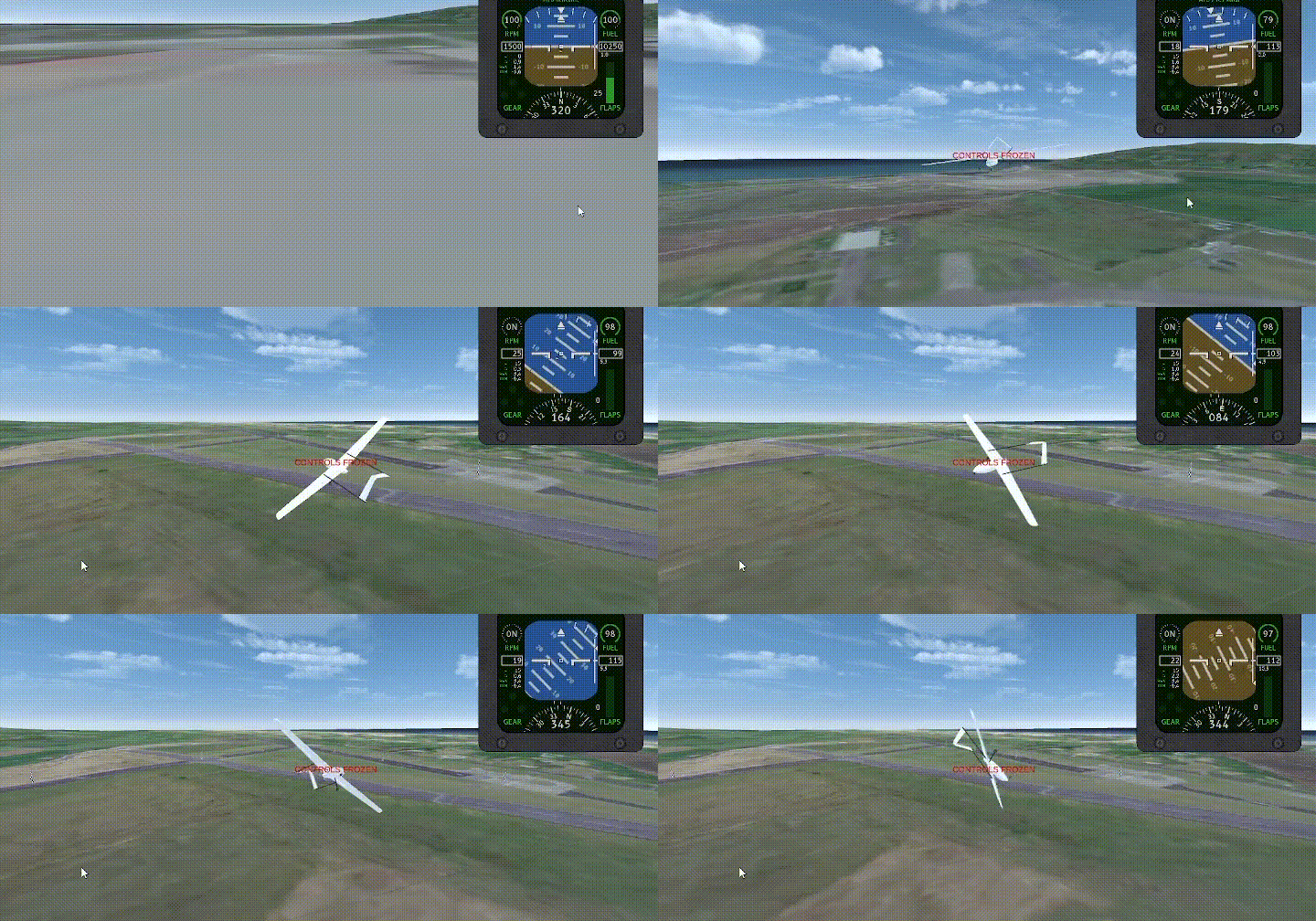
Engine thrust is capped; thrust may stall; controls can freeze.
Configure MaxThrust in AircraftManager; the Cold component defines freeze intervals (UI hint “controls frozen”).
MLAgentsSceneRain — rain
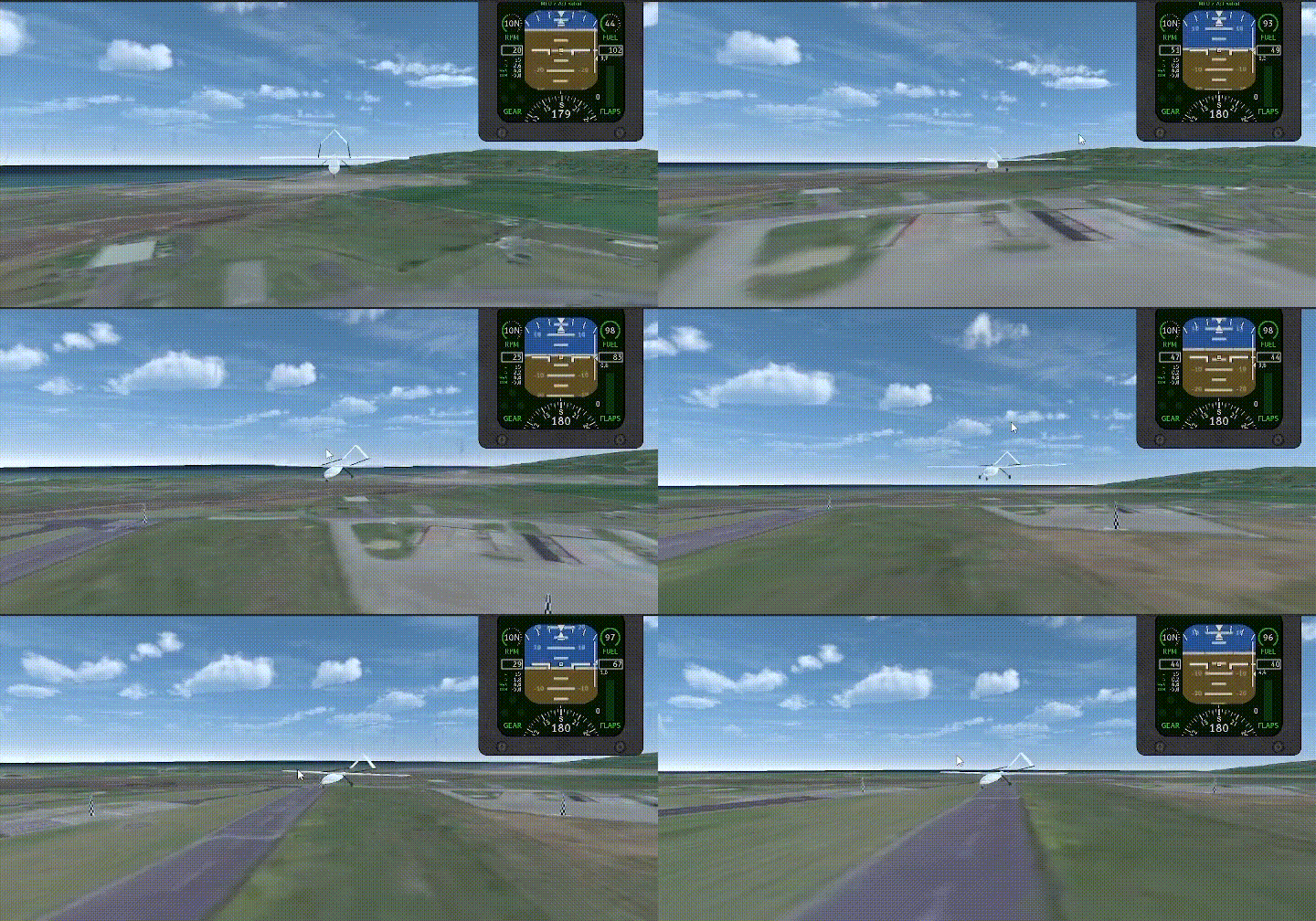
Constant downward force vector.
Configure with the Rain component (Impact).
MLAgentsSceneWind — wind
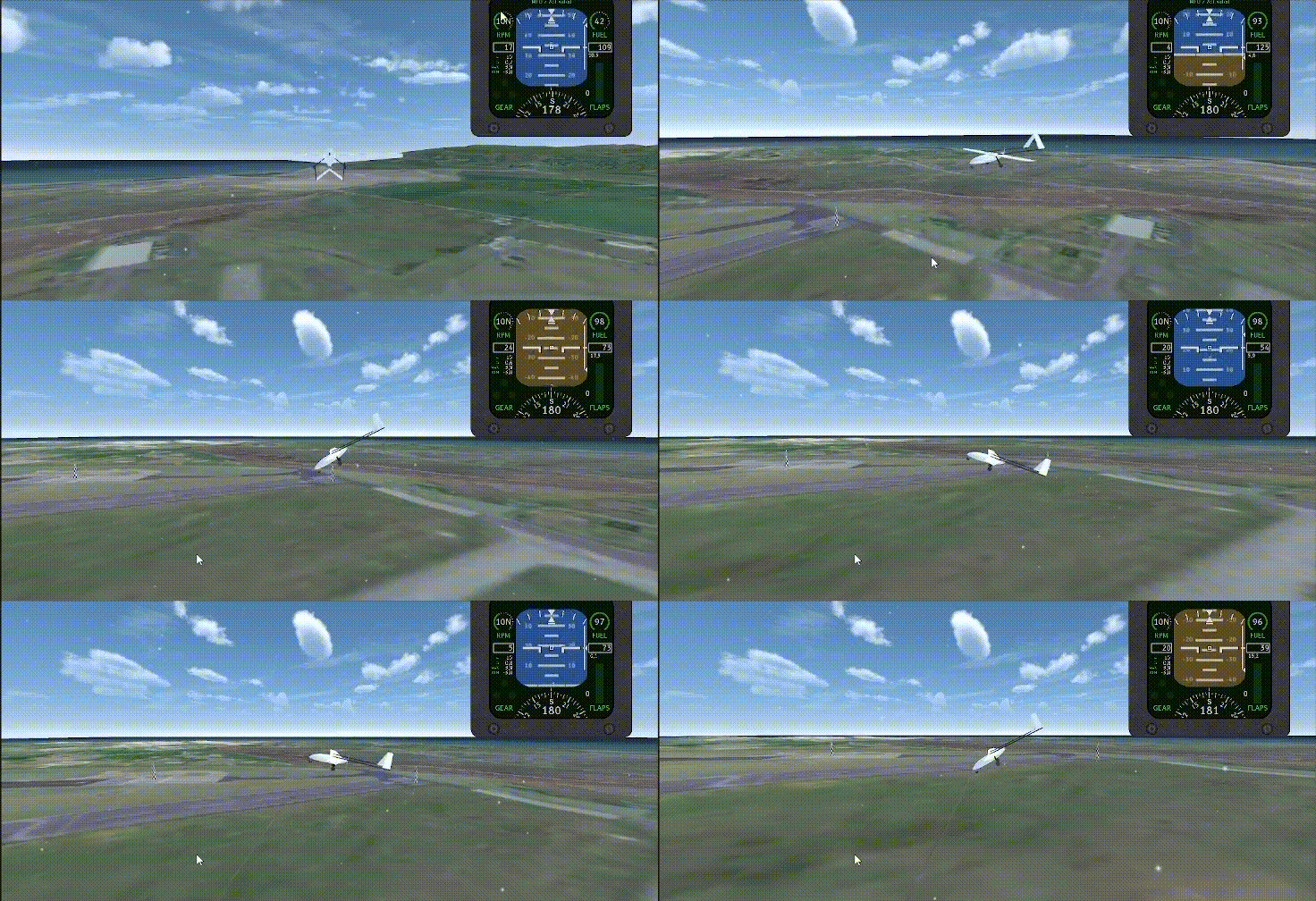
Parameters from UnityAirplaneEnvironment/Assets/AlbLab3/Experiment Settings/ml_agent_wind.asset (speed, azimuth, elevator). Example: speed 10, elevator 30.
Note
Gravity is set to g = 9.81.
Interact with Python
Minimal example of acquiring the Unity gym wrapper with optional action discretization:
from tensoraerospace.envs.unity_env import get_plane_env, unity_discrete_env

# Path to the built Unity scene (Linux example)
UNITY_BUILD_PATH = "/path/to/linux_build/build.x86_64"

# For separate process/server usage, enable server=True and a unique worker id
env = get_plane_env(UNITY_BUILD_PATH, server=True, worker=0)

# For discrete action space, use the wrapper
env = unity_discrete_env(env)

obs = env.reset()
done = False
total_reward = 0.0
while not done:
    action = env.action_space.sample()
    obs, reward, done, info = env.step(action)
    total_reward += reward

env.close()
Tip
For parallel environments, assign unique worker ids and set server=True for each instance.
Build the environment in Unity
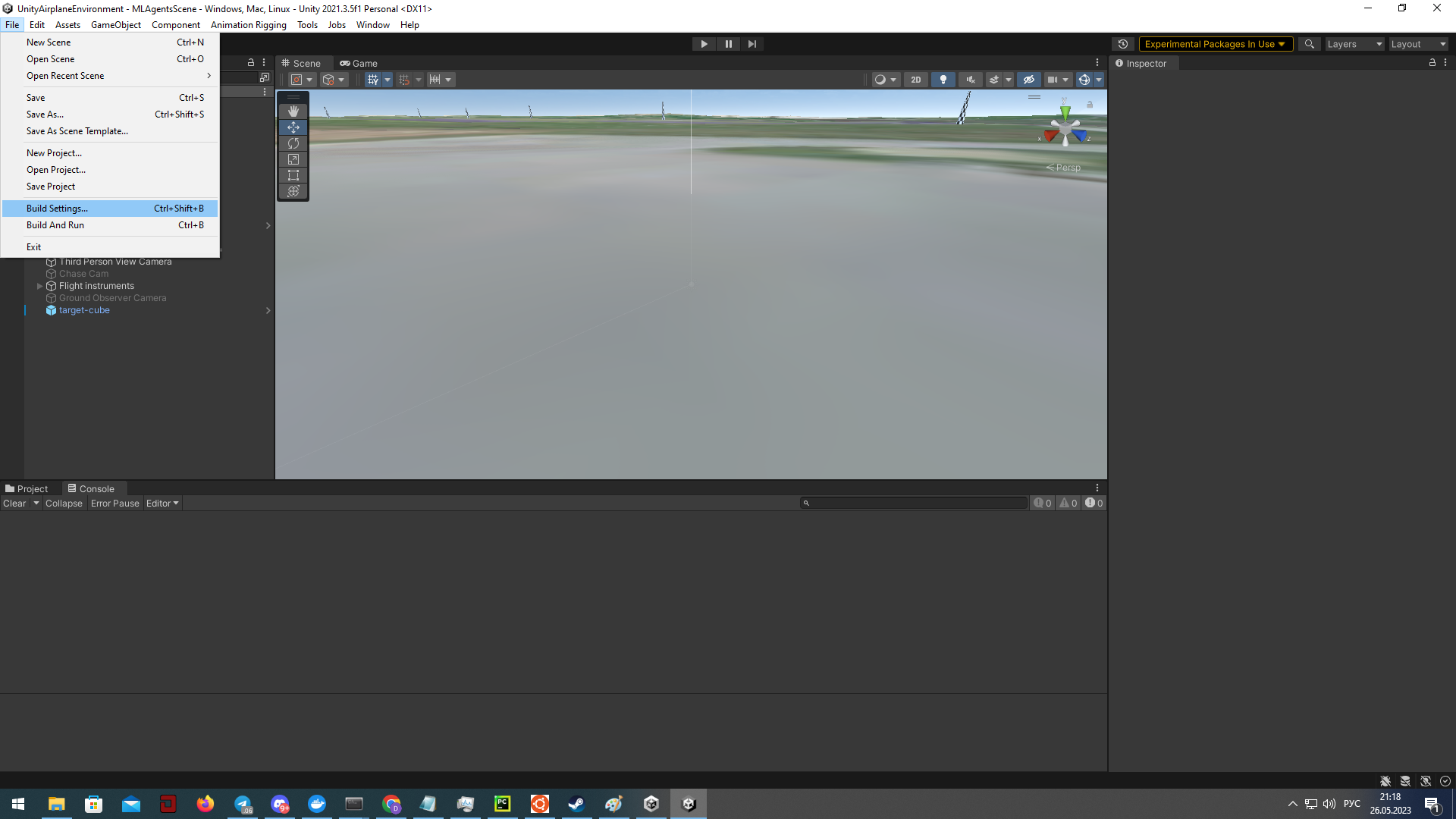
- Open File → Build Settings in Unity.
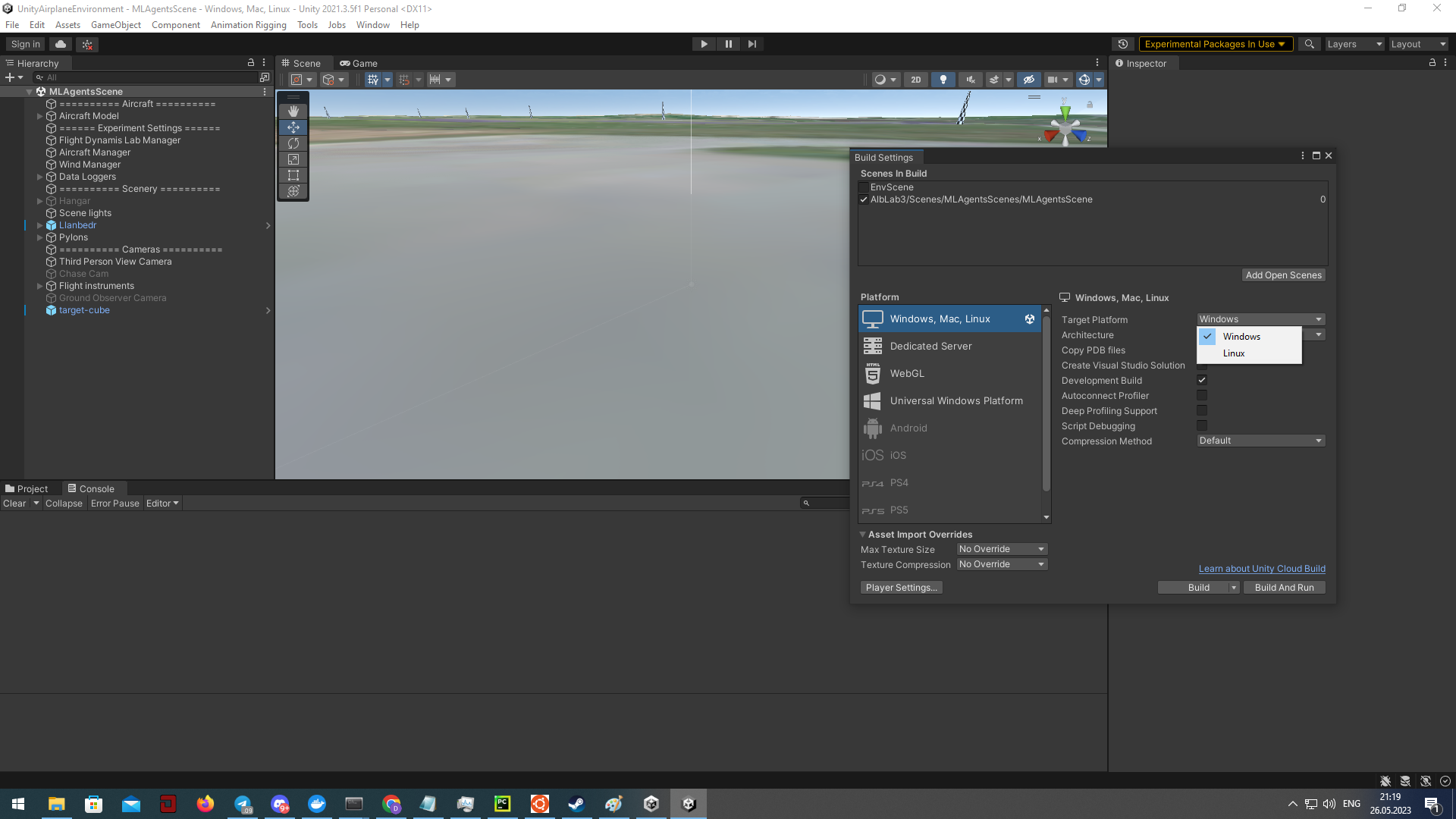
- Choose the scene, target platform, and click Build.
- Select the destination folder for the executable.
Run in Docker (GPU/CPU, distributed)
Benefits of distributed GPU training: higher throughput, natural parallelism (e.g., A3C), faster learning, and support for larger models. Coordination and synchronization across processes/devices are required for efficient execution.
Example Dockerfile with dependencies and TensorBoard startup:
FROM pytorch/pytorch:2.2.0-cuda12.1-cudnn8-runtime

RUN pip install mlagents==1.1.0 scipy==1.5.4 tensorboard==2.17.0
RUN mkdir /workspace/logs
COPY a3c_example.py /workspace

ENTRYPOINT tensorboard --logdir /workspace/logs --port 8889 --host 0.0.0.0 & python /workspace/a3c_example.py
Training script (A3C, multiple workers via worker_id):
from tensoraerospace.envs.unity_env import get_plane_env, unity_discrete_env
from tensoraerospace.agent.a3c import Agent, setup_global_params

def env_function(worker_id):
    # /tf/linux_build/build.x86_64 — path to the Unity build inside the container
    return get_plane_env("/tf/linux_build/build.x86_64", server=True, worker=worker_id)

actor_lr = 0.0005
critic_lr = 0.001
gamma = 0.99
hidden_size = 128
update_interval = 1

max_episodes = 100

setup_global_params(actor_lr, critic_lr, gamma, hidden_size, update_interval, max_episodes)

agent = Agent(env_function, gamma)
agent.train()
Launch the container and mount the library and Unity build:
Warning
nvidia-container-toolkit is required for GPU access. On Windows use absolute paths in -v.
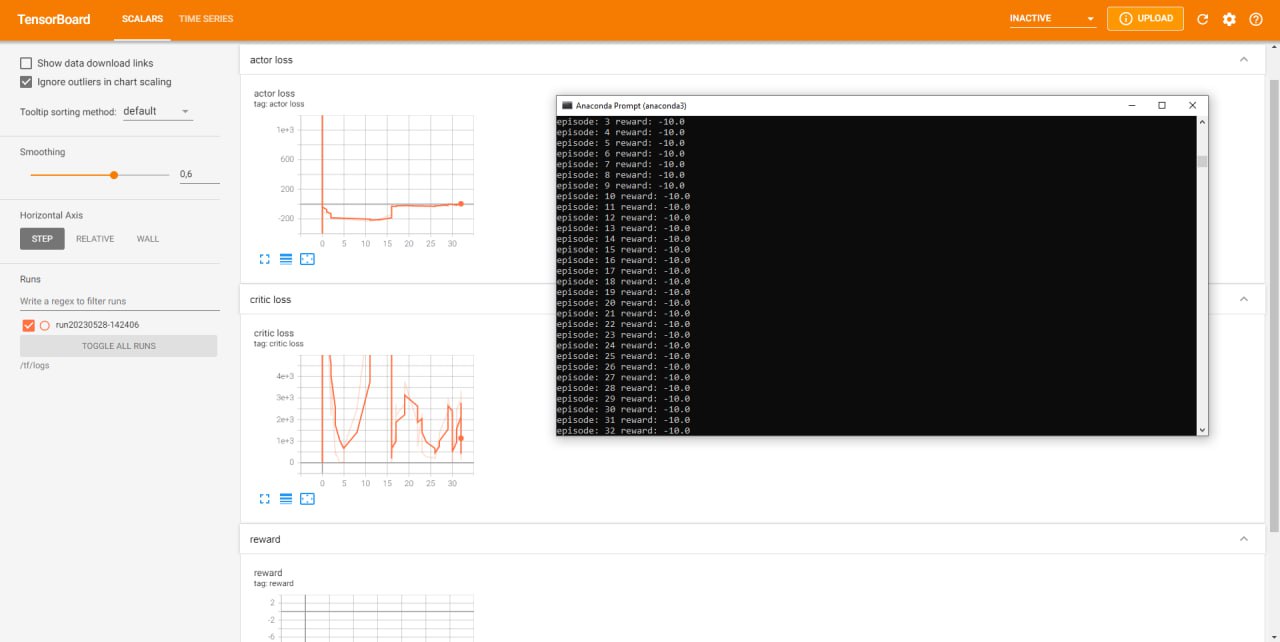
Sample training run
Related Examples
- Unity with DQN — train a DQN agent (discrete actions)
- Unity with SAC — train a SAC agent (continuous control)