Simulink to Python
Integrate Simulink models into Python via dynamic libraries using Embedded Coder and
ctypes.
Quick start
- In Simulink, enable Embedded Coder and set the System target file to
ert_shrlib.tlc. - Build the model (Ctrl+B) -- source files and
MODEL_NAME.mkwill appear. - Build the library:
- In Python, load the library and call
initialize -> step -> terminate.
Tip: keep the libraries next to the model (e.g.,
simulinkModel/<model_name>) to avoid depending on the current working directory.
Cross-platform library loading
Or use a universal function:
import sys
import ctypes
from pathlib import Path


def load_simulink_lib(folder: str | Path, basename: str) -> ctypes.CDLL:
    """Load a *.dll/*.so/*.dylib taking the platform and typical MATLAB suffixes into account.

    folder   -- directory containing the library
    basename -- base name (e.g., 'b747_model', 'f16_model')
    """
    folder = Path(folder)
    is_win = sys.platform.startswith("win")
    is_mac = sys.platform == "darwin"

    ext = "dll" if is_win else ("dylib" if is_mac else "so")

    # Typical name variants generated by Embedded Coder
    candidates = [
        f"{basename}.{ext}",           # model.dll / model.so / model.dylib
        f"{basename}_win64.dll",
        f"{basename}_glnxa64.so",
        f"{basename}_maci64.dylib",
    ]

    for name in candidates:
        path = folder / name
        if path.exists():
            return ctypes.WinDLL(str(path)) if is_win else ctypes.CDLL(str(path))

    raise FileNotFoundError(
        f"Library not found for {basename} in {folder} (tried: {', '.join(candidates)})"
    )
Data types
The types real32_T, ExtY_T, ExtY_T_r are located in tensoraerospace/aerospacemodel/utils/rtwtypes.py and correspond to the structures/types generated by the model.
C/C++ code generation (Embedded Coder)
To integrate Simulink models into Python you need the Simulink add-on -- Embedded Coder.
- Open the model settings in Simulink and select Code Generation -> System target file:
ert_shrlib.tlc.
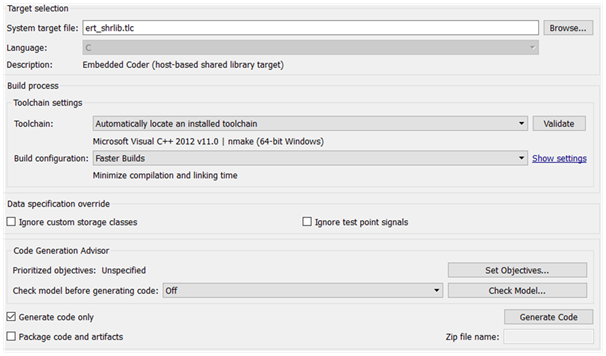
- Build the model with the keyboard shortcut Ctrl+B (or the Build model menu). A folder with the generated code and a make file with the
.mkextension will appear in the model directory. - Build the dynamic library with the command:
This will produce a dynamic library: .dll on Windows, .so on Linux, .dylib on macOS.
Windows
The build may require MSVC tools (Developer Command Prompt) or MinGW/MSYS. Make sure the compiler and make/nmake are available in PATH.
Creating a controlled plant in Simulink
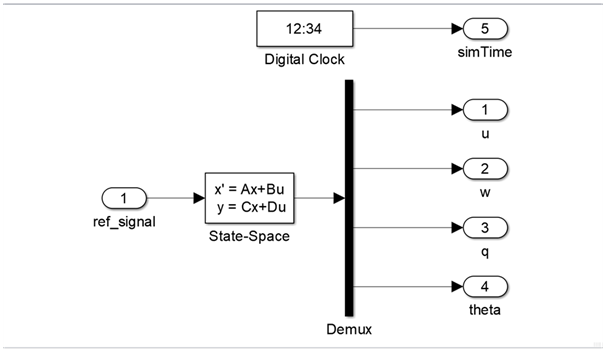
To create a controlled plant in Simulink, add the following blocks:
- Simulink/Continuous/State-Space
- Simulink/Sources/Digital Clock
- Simulink/Commonly Used Blocks/In1
- Simulink/Commonly Used Blocks/Out1
Then:
- Rename the
In1/Out1blocks to meaningful names. - In the State-Space block, set the parameters (you can use a MATLAB Script for convenience).
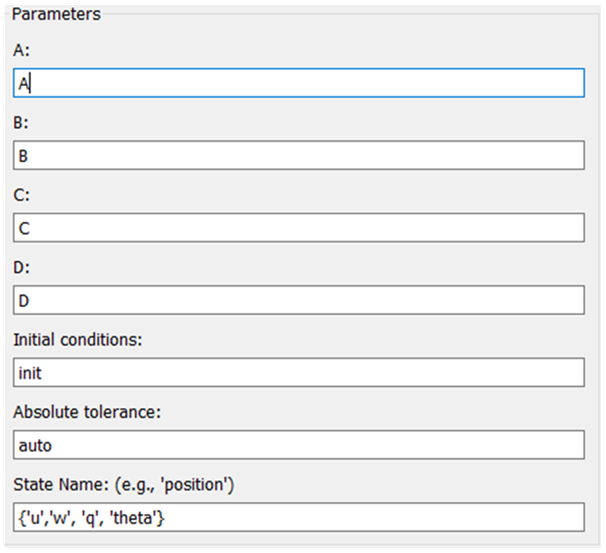
- Example MATLAB script for running the model:
flag = 1;

% Initialize parameters
[A, B, C, D] = b747_model(flag);

init = [0, -0.0, -0.0, 0];
ref_signal = -0.10;

% Simulation start/end time and step
t_s = 0;
t_e = 500;
dt  = 0.1;

% Run the Simulink model
simOut = sim('aircraft_sim.slx');

y = simOut.get('yout');

u     = y.getElement(1).Values.Data;
w     = y.getElement(2).Values.Data;
q     = y.getElement(3).Values.Data;
theta = y.getElement(4).Values.Data;
t     = y.getElement(5).Values.Data;
Integration with Python (ctypes)
Integration is done through a dynamic library compiled from the model. The library typically contains three functions:
MODEL_NAME_initialize-- model initializationMODEL_NAME_step-- compute the next step (step size equalsdtspecified in the MATLAB script)MODEL_NAME_terminate-- release resources
For type matching, use ctypes and type converters from tensoraerospace: tensoraerospace/aerospacemodel/utils/rtwtypes.py.
Example: Boeing 747
import matplotlib.pyplot as plt
from pathlib import Path
from tensoraerospace.aerospacemodel.utils.rtwtypes import real32_T, ExtY_T

# Load the library
b747_folder = Path("../tensoraerospace/aerospacemodel/model/simulinkModel/b747")
b747 = load_simulink_lib(b747_folder, "b747_model")

# Entry points
b747_initialize = b747.b747_model_initialize
b747_step       = b747.b747_model_step
b747_terminate  = b747.b747_model_terminate

# Parameters/inputs (example: unit input as real32_T)
ref_signal = real32_T.in_dll(b747, "b747_model_U")  # depends on the input structure of the specific model

# Output structure
b747_Y = ExtY_T.in_dll(b747, "b747_model_Y")

# Simulation loop
b747_initialize()

time, u, w, q, theta = [], [], [], [], []
for _ in range(int(2100)):
    b747_step()
    time.append(float(b747_Y.time))
    u.append(float(b747_Y.u))
    w.append(float(b747_Y.w))
    q.append(float(b747_Y.q))
    theta.append(float(b747_Y.theta))

b747_terminate()

# Visualization
plt.plot(time, u)
plt.xlabel('t, [s]')
plt.ylabel('u, [m/s]')
plt.show()
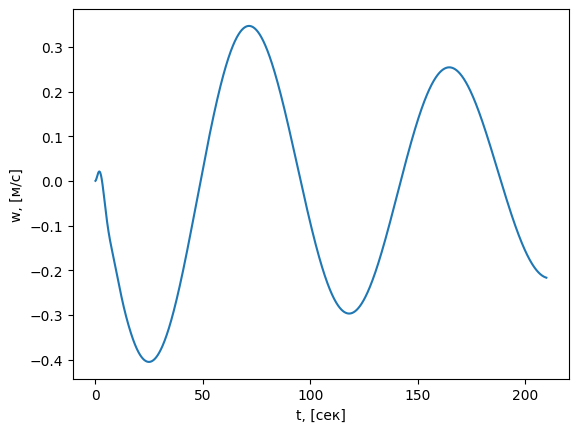
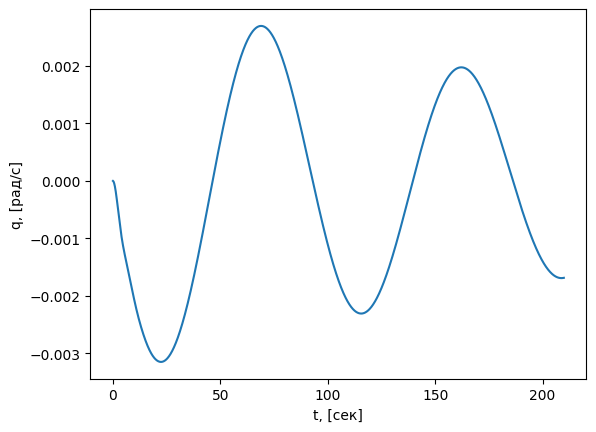
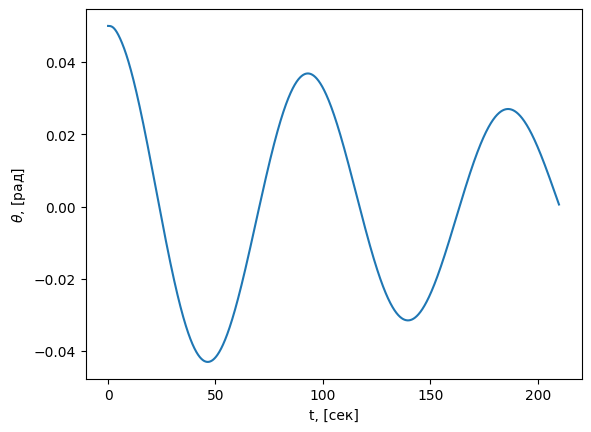
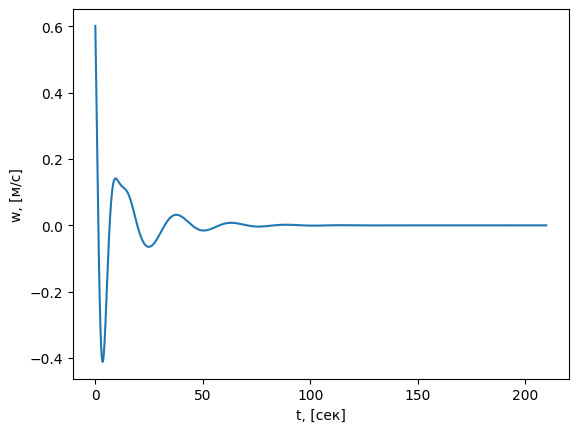
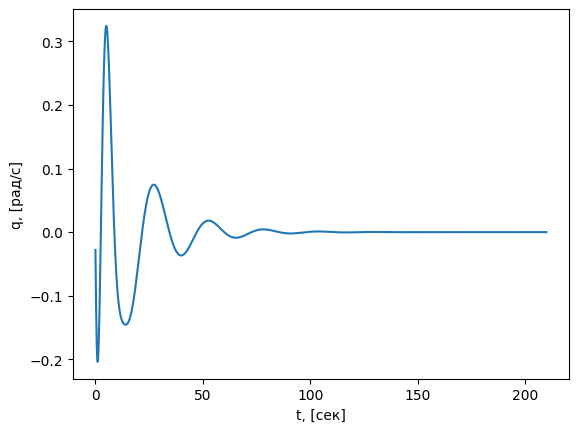
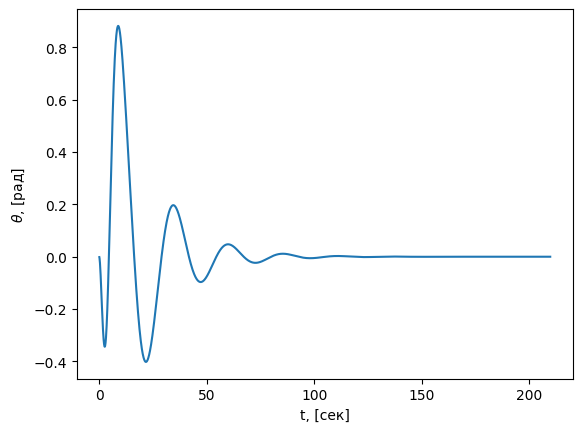
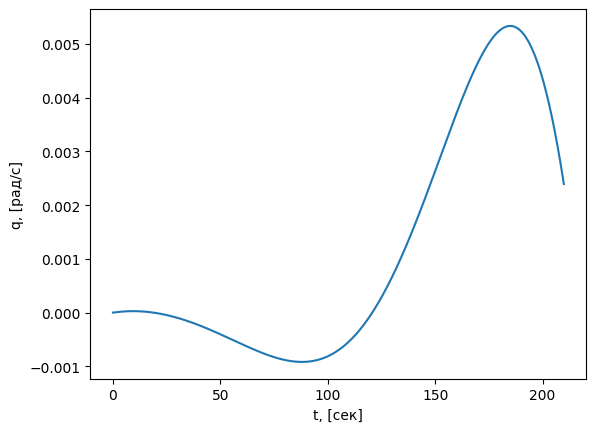
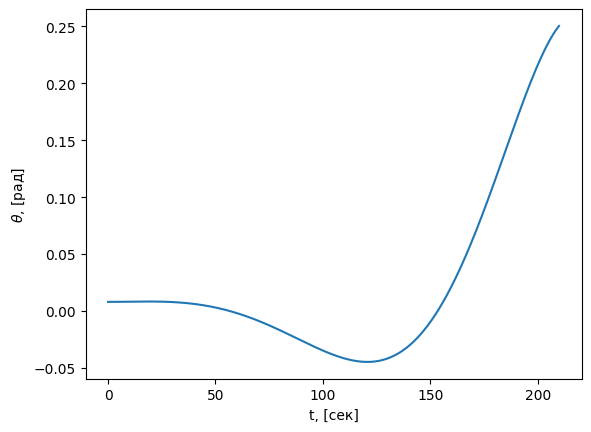
Plot examples:
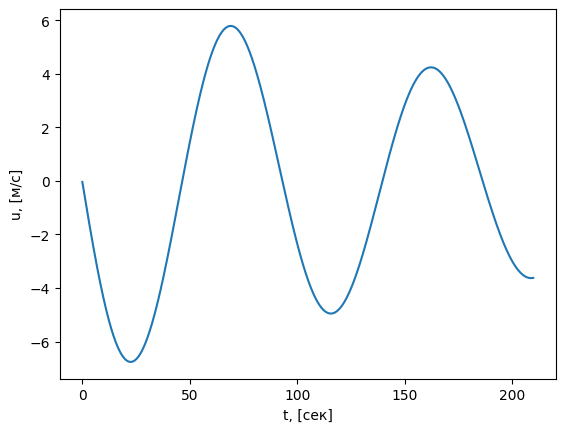
Example: F-16
import matplotlib.pyplot as plt
from pathlib import Path
from tensoraerospace.aerospacemodel.utils.rtwtypes import real32_T, ExtY_T

f16_folder = Path("../tensoraerospace/aerospacemodel/model/simulinkModel/f16")
f16 = load_simulink_lib(f16_folder, "f16_model")

f16_initialize = f16.f16_model_initialize
f16_step       = f16.f16_model_step
f16_terminate  = f16.f16_model_terminate

ref_signal = real32_T.in_dll(f16, "f16_model_U")
f16_Y = ExtY_T.in_dll(f16, "f16_model_Y")

f16_initialize()

time, u, w, q, theta = [], [], [], [], []
for _ in range(int(2100)):
    f16_step()
    time.append(float(f16_Y.time))
    u.append(float(f16_Y.u))
    w.append(float(f16_Y.w))
    q.append(float(f16_Y.q))
    theta.append(float(f16_Y.theta))

f16_terminate()

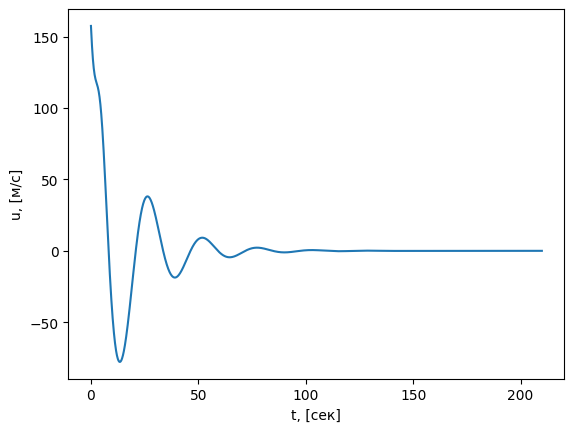
plt.plot(time, u)
plt.xlabel('t, [s]')
plt.ylabel('u, [m/s]')
plt.show()
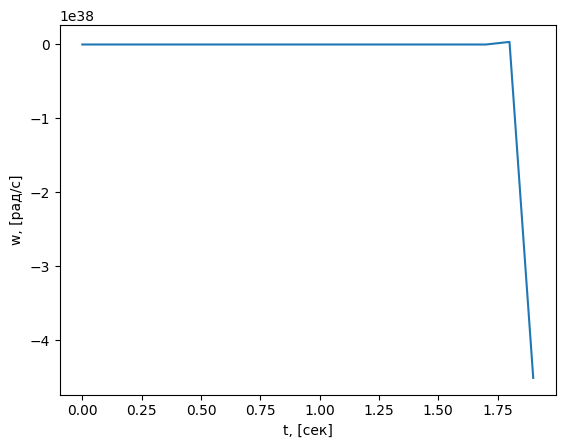
Example: ELV (launch vehicle)
import matplotlib.pyplot as plt
from pathlib import Path
from tensoraerospace.aerospacemodel.utils.rtwtypes import real32_T, ExtY_T_r

elv_folder = Path("../tensoraerospace/aerospacemodel/model/simulinkModel/elv")
elv = load_simulink_lib(elv_folder, "elv_model")

elv_initialize = elv.elv_model_initialize
elv_step       = elv.elv_model_step
elv_terminate  = elv.elv_model_terminate

ref_signal = real32_T.in_dll(elv, "elv_model_U")
elv_Y = ExtY_T_r.in_dll(elv, "elv_model_Y")

elv_initialize()

time, w, q, theta = [], [], [], []
for _ in range(int(20)):
    elv_step()
    time.append(float(elv_Y.time))
    w.append(float(elv_Y.w))
    q.append(float(elv_Y.q))
    theta.append(float(elv_Y.theta))

elv_terminate()

plt.plot(time, w)
plt.xlabel('t, [s]')
plt.ylabel('w, [rad/s]')
plt.show()
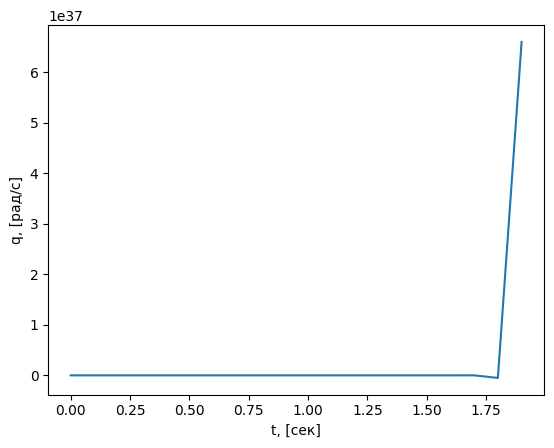
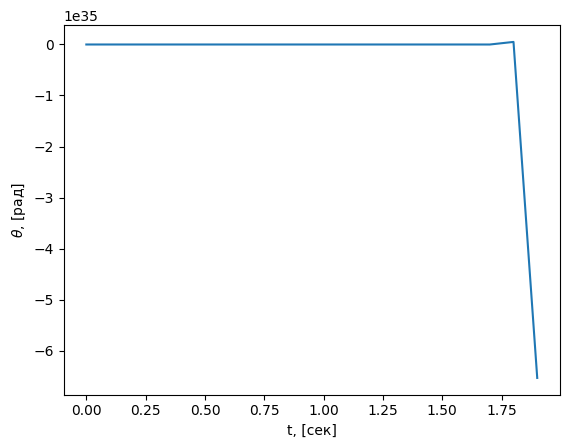
Example: Typical Rocket
import matplotlib.pyplot as plt
from pathlib import Path
from tensoraerospace.aerospacemodel.utils.rtwtypes import real32_T, ExtY_T

rocket_folder = Path("../tensoraerospace/aerospacemodel/model/simulinkModel/rocket")
rocket = load_simulink_lib(rocket_folder, "rocket_model")

rocket_initialize = rocket.rocket_model_initialize
rocket_step       = rocket.rocket_model_step
rocket_terminate  = rocket.rocket_model_terminate

ref_signal = real32_T.in_dll(rocket, "rocket_model_U")
rocket_Y = ExtY_T.in_dll(rocket, "rocket_model_Y")

rocket_initialize()

time, u, w, q, theta = [], [], [], [], []
for _ in range(int(2100)):
    rocket_step()
    time.append(float(rocket_Y.time))
    u.append(float(rocket_Y.u))
    w.append(float(rocket_Y.w))
    q.append(float(rocket_Y.q))
    theta.append(float(rocket_Y.theta))

rocket_terminate()

plt.plot(time, u)
plt.xlabel('t, [s]')
plt.ylabel('u, [m/s]')
plt.show()
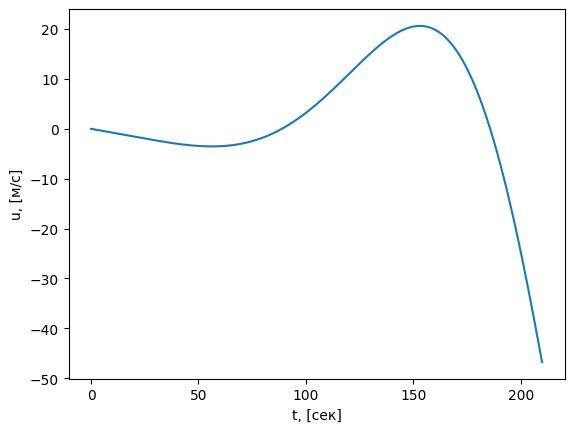
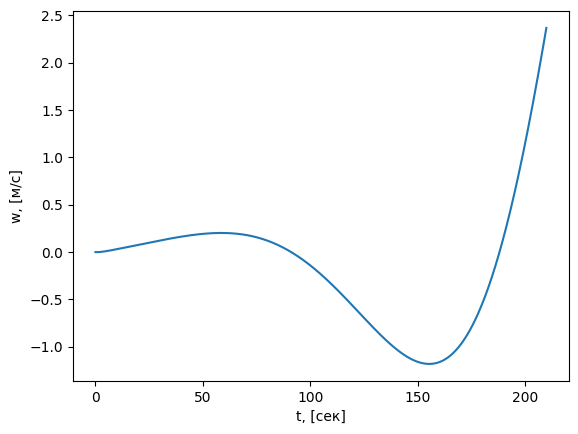
Common issues and solutions
- "Library not found ...": check the file name, platform suffix (
_win64.dll,_glnxa64.so,_maci64.dylib), and path. - "undefined symbol / entry point not found": use the correct function names (
<model>_initialize/step/terminate). - Windows: run the build from
Developer Command Prompt for VSor install MinGW/MSYS. Check PATH (cl,nmakeorgcc,make). - Linux/macOS: make sure
LD_LIBRARY_PATH/DYLD_LIBRARY_PATHincludes the library directory, or use an absolute path when loading.
# Linux
export LD_LIBRARY_PATH=$(pwd):$LD_LIBRARY_PATH
# macOS
export DYLD_LIBRARY_PATH=$(pwd):$DYLD_LIBRARY_PATH
Type compatibility
The fields of the *_Y and *_U structures must match those generated by your model. If the names or composition differ, update the Python references.
Checklist for your models
- [ ]
ert_shrlib.tlcis enabled and the.mkfile is built - [ ] The library has been successfully compiled (
.dll/.so/.dylib) - [ ] The function names
<model>_initialize/step/terminateare known - [ ] The types and names of the global variables
*_U,*_Yare identified - [ ] The Python script loads the library and runs the step loop
Useful information
- The types
real32_T,ExtY_T,ExtY_T_rare defined intensoraerospace/aerospacemodel/utils/rtwtypes.py. - The names of the global input/output variables in the library (
*_U,*_Y) depend on the generated code and may differ between models. - See also: "Your Simulink models in Python" --
your_sim.mdin this section.