Unity Environment with a DQN Agent
Lesson Overview
Quick path: connect the Unity environment (Editor or standalone build), train a DQN agent, and interact via a random policy. For Unity setup follow "Unity Environment" — see Unity Environment.
Unity Environment Repository
The Unity environment source code is available at: TensorAeroSpace/UnityAirplaneEnvironment
Goals and Requirements
- What you will do:
- Connect the Unity environment to TensorAeroSpace (Editor or build).
- Launch DQN training and evaluation.
- Test interaction with a random agent.
- Requirements:
- Unity + ML-Agents (
mlagents==1.1.0), Python 3.8+,tensoraerospace.
Imports
from tensoraerospace.agent.dqn.model import Model, DQNAgent
from tensoraerospace.envs.unity_env import get_plane_env, unity_discrete_env
Connect the Environment
Port and connection
Default port is 5004. If it is busy, stop conflicting processes or change it in the ML-Agents/environment settings.
Train and Evaluate DQN
num_actions = env.action_space.n
model = Model(num_actions)
target_model = Model(num_actions)

agent = DQNAgent(model, target_model, env, train_nums=100)
agent.train()

# Evaluation after training
rewards_sum = agent.evaluation(env)
print("After Training: %d out of 200" % rewards_sum)
Typical Connection Logs
[INFO] Listening on port 5004. Start training by pressing the Play button in the Unity Editor.
[INFO] Connected to Unity environment with package version 2.2.1-exp.1 and communication version 1.5.0
[INFO] Connected new brain: My Behavior?team=0
[WARNING] uint8_visual was set to true, but visual observations are not in use. This setting will not have any effect.
[WARNING] The environment contains multiple observations. You must define allow_multiple_obs=True to receive them all.
Launch Screen
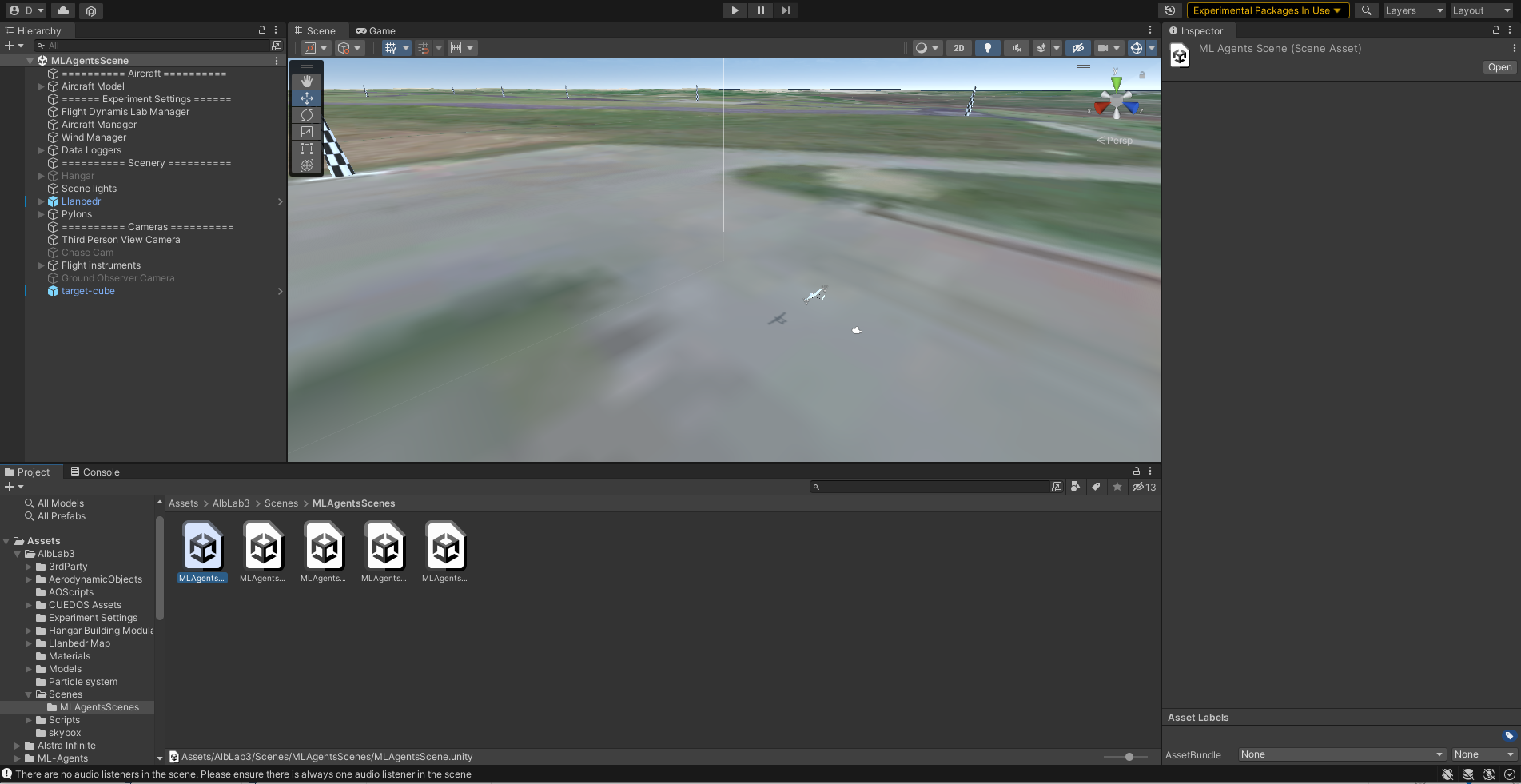
Figure 2.1. Training visualization and interaction (Unity Environment)
Random Agent Interaction
Running in Docker on Multiple GPU/CPU
Training on multiple GPUs speeds up experiments, allows richer models, and parallel experience collection.
FROM pytorch/pytorch:2.2.0-cuda12.1-cudnn8-runtime

RUN pip install mlagents==1.1.0 scipy==1.5.4 tensorboard==2.17.0
RUN mkdir /workspace/logs
COPY a3c_example.py /workspace

ENTRYPOINT tensorboard --logdir /workspace/logs --port 8889 --host 0.0.0.0 & python /workspace/a3c_example.py
Open sources (documentation)
- Unity ML-Agents: https://github.com/Unity-Technologies/ml-agents
- TensorBoard documentation: https://www.tensorflow.org/tensorboard
- Docker: https://docs.docker.com/
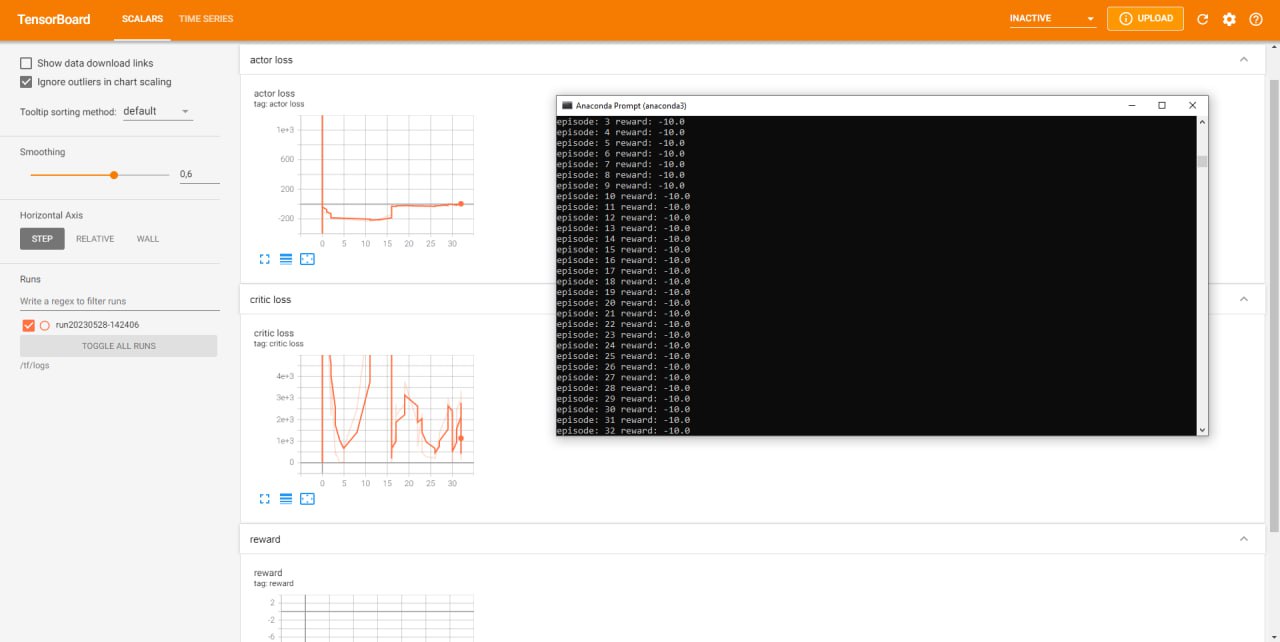
A3C Launch Script Inside Docker
from tensoraerospace.envs.unity_env import get_plane_env
from tensoraerospace.agent.a3c import Agent, setup_global_params

def env_function(worker_id):
    # /tf/linux_build/build.x86_64 — path to the Unity executable
    return get_plane_env("/tf/linux_build/build.x86_64", server=True, worker=worker_id)

actor_lr = 0.0005
critic_lr = 0.001
gamma = 0.99
hidden_size = 128
update_interval = 1
max_episodes = 100

setup_global_params(actor_lr, critic_lr, gamma, hidden_size, update_interval, max_episodes)

agent = Agent(env_function, gamma)
agent.train()
Run the Container
docker run \
  -v ./tensoraerospace:/tf/tensoraerospace \
  -v ./linux_build:/tf/linux_build \
  -p 8889:8889 unity_docker
Troubleshooting
- Port 5004 busy: change it in the configuration or stop the conflicting process.
allow_multiple_obs=Truewarning: enable the flag or use the first observation stream.mlagentsversion mismatch: ensure version aligns with ML-Agents (mlagents==1.1.0).- Build does not start: verify
build_pathand execution permissions (Linux:chmod +x).
Training Showcase
Related Examples
- Unity with SAC — SAC agent for continuous control
- Unity Environment Setup — complete setup guide
- Unity Environment Model — environment details and scenes